
STARZ
Starz Entertainment, LLCEntertainment
4.458.17K Reviews
- Version
- 6.9.0
- Installs
- 10.00M
- Age Rating
- Teen
Screenshots

Our Review of STARZ
 Analysis by Appyee
I judge a streaming app less by how many tiles it can put on a screen than by whether it helps me settle on something worth watching without turning the evening into a search task. STARZ is a focused entertainment app from Starz Entertainment, LLC, built around original series and movies. Its appeal is clearest when you already like the kind of programming it carries; it is less convincing as a one-stop replacement for a broad mix of streaming services.
What the cost does—and doesn’t—tell you
The app is free to download, but that does not mean its full viewing experience is free. In-app purchases range from $0.49 to $69.99 per item, so the cost depends on what you choose and how you access the service. I would check the purchase terms shown on your device before committing, rather than treating the download price as the price of watching.
That distinction matters if you are comparing subscriptions. A free installation is useful for looking around, but it is not enough to decide whether the entertainment itself fits your budget. If you are considering a paid option, think about whether you will watch regularly and whether the particular shows and films you want are available to you. I would not pay just because the catalogue looks busy; I would start with a short list of titles I genuinely expect to watch.
Finding a reason to keep it
In my experience, the best case for STARZ is a viewer who wants a dedicated place for its original series and movie selection, rather than another service that tries to cover every mood and genre. Its entertainment focus makes it easy to understand what it is for, but that focus also sets a limit: if you are looking for a huge, all-purpose library, you may prefer a broader streaming option.
How I would use it in an ordinary week
Imagine I have half an hour after dinner and want to continue a series instead of browsing several apps. A focused catalogue can make that decision simpler, especially if I already know what I came to watch. For a weekend film night, I would use the app differently: check that a suitable movie is available, then decide whether watching it here is worth the cost compared with something I already have access to.
That small habit—choosing the title before settling in—helps avoid a common streaming frustration: spending more time comparing menus than watching. I would also keep a short note of shows I want to try. If an app’s recommendations become too narrow or repeatedly point me toward things I have already seen, a personal list is a more dependable guide than expecting the home screen to make every choice for me.
The service is rated Teen, which is a useful starting point for understanding its general audience, but I would still check the rating and subject matter of an individual title before handing over a device to a younger viewer. A service-level age label is not a promise that every program will suit every teenager or family. That extra check is especially sensible when browsing together, since movie and series content can vary considerably.
Where it sits beside other streaming choices
Compared with a general-purpose streaming service, this app makes more sense as a targeted pick than as the only place I look. Broad services can be more convenient for households with very different tastes, while a focused service can be a better match when its particular originals or films are the reason you are opening the app. I would choose based on the titles I want, not on the assumption that one subscription must serve everyone.
It can also be useful alongside a service I already pay for, but only if I will actually make time for its catalogue. Rotating attention between several apps can leave each one feeling poor value, even when each has something appealing. Before adding another paid option, I would look at my current viewing routine and ask whether I have a specific STARZ show or movie in mind, rather than subscribing simply because I want more choice.
Small decisions that improve the experience
When I try a streaming service, I make the first session a deliberate one: I search for a title I know I want, test whether the app gets me to playback smoothly, and then explore recommendations only after that. It gives me a practical feel for the experience without confusing an attractive home screen with lasting value. If I am watching on a shared television, I also check that I have selected the right profile or account before starting, so recommendations and viewing do not get mixed up.
Another useful approach is to distinguish a catalogue problem from a connection problem. If playback struggles, I would first check whether other online activity is using the same connection and try again before blaming the app itself. Streaming depends on the network as well as the service, so a single rough evening is not a fair test of everyday reliability. Conversely, if one particular app repeatedly gives me trouble while other viewing works normally, that is a reason to reconsider how much I rely on it.
The app has a 4.4 average from around 178,000 ratings, and it has passed 10 million installs. Those figures suggest many people have tried it, but they cannot tell me whether its specific catalogue suits my taste or whether I will use it often enough to justify any purchase. I treat popularity as context, not as a substitute for checking the programs I want to watch.
Who is likely to get the most from it?
I would recommend considering it if you are already interested in its original programming, want a straightforward entertainment app, or have a specific film or series in mind. It may also suit someone who prefers to keep a few focused services rather than search one enormous library. The strongest reason to install it is not that it promises something for every viewer; it is that the selection may have something particular you want.
I would skip it, or at least postpone paying, if you rarely watch the titles associated with the service, need one catalogue to satisfy a group with sharply different tastes, or are trying to cut recurring entertainment costs. Someone who watches only occasionally may be better off waiting until there is a clear reason to use it. The free download lowers the barrier to taking a look, but it does not make a paid viewing choice automatically worthwhile.
My practical verdict
STARZ is a sensible option when its programming matches what I want to watch, but I would not recommend it blindly as a replacement for every other streaming app. I would browse with a title in mind, confirm the purchase details that apply to me, and judge value by how often I return. If the catalogue gives me several evenings of entertainment I genuinely want, the app has earned its place; if I cannot name anything I plan to watch, I would keep my money and use a service I already enjoy.
Ever found yourself endlessly scrolling through streaming services, just trying to find something decent to watch? Well, let me introduce you to STARZ. I took it for a spin, and I’ve got some juicy details to share.
First Impressions: What’s on Offer?
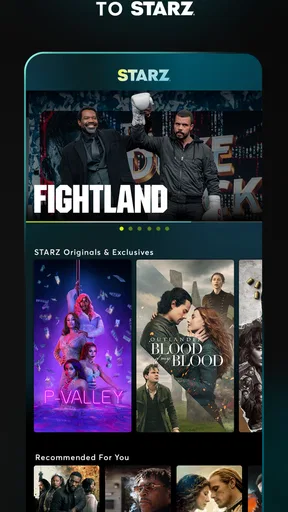
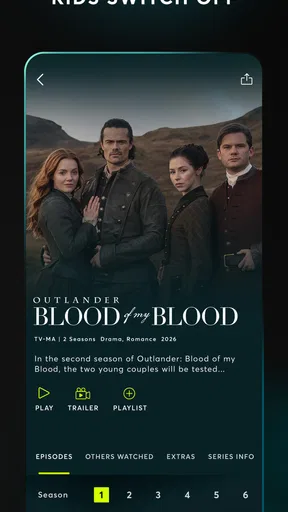
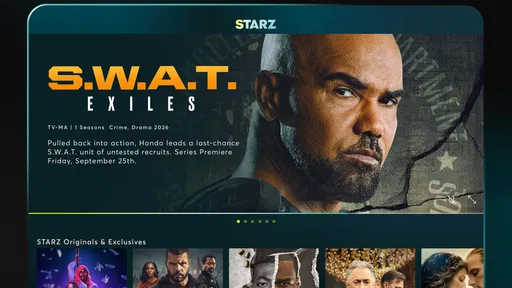
When I first opened STARZ, I was pleasantly surprised by its sleek and user-friendly interface. Everything seemed pretty intuitive—no need to search frantically for the play button or squint at tiny fonts. It’s like they knew I wanted to keep things simple and straightforward.
Scrolling through the app, I noticed a mix of both original content and big-name movies. Seriously, the variety is pretty impressive. Whether you're into gritty dramas, laugh-out-loud comedies, or intense thrillers, there's something for everyone. And the best part? New shows and movies are added pretty frequently, so you never really run out of things to watch.
Getting Started: How Does It Work?
Signing up was a breeze. I just needed an email address and a payment method. If you’re a newbie, they even throw in a free trial so you can test the waters before diving in headfirst. The app is available on both Android and iOS, so no matter your device preference, you’re covered.
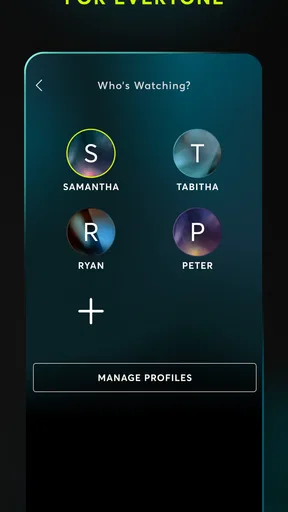
Once you’re in, you can create profiles for different family members. This is super handy, especially if you have kids. They can have their own space, and you can keep your recommendations free from animated chaos.
Standout Features: What Makes It Special?
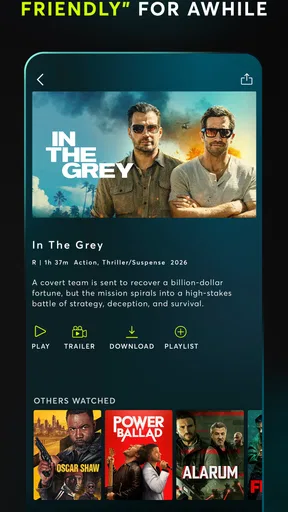
One of the nifty features I found is the offline viewing option. Going on a long flight? No problem! You can download episodes or movies and watch them without needing Wi-Fi. It's a lifesaver for those "dead-zone" moments.
STARZ also boasts a personalization feature, which I found quite accurate. The more you watch, the better it gets at recommending shows and movies you’d actually want to see. It’s like having your personal entertainment assistant.
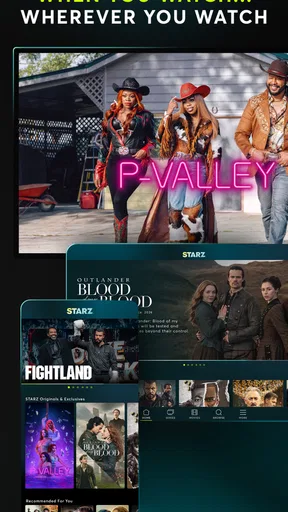
Another cool feature is the seamless integration with Chromecast and other streaming devices. Watching on a big screen is just a tap away, making movie nights at home feel like a mini-theater experience.
Quality & Streaming: The Viewing Experience
The streaming quality? Top-notch. I rarely experienced any buffering, even with my not-so-stellar internet connection. The picture quality adjusts automatically, which is great if your Wi-Fi decides to have a lazy day.
The audio is equally impressive. Whether you’re into action-packed sequences or quiet, dialogue-driven dramas, the sound quality really enhances the overall experience.
Wrapping Up: Is It Worth It?
So, is STARZ worth your time and money? If you're a fan of diverse content and enjoy a seamless user experience, I'd say give it a shot. The mix of original series and blockbuster movies is a solid reason to add this app to your streaming arsenal.
In a world full of streaming options, STARZ manages to hold its own with quality content and user-friendly features. So, grab some popcorn, sit back, and let the binge-watching commence!
Verdict
Strengths of STARZ
- Extensive library of exclusive content.
- High-quality streaming with minimal buffering.
- User-friendly interface with intuitive navigation.
- Offline download feature for on-the-go viewing.
- Multiple device support with a single account.
Limitations of STARZ
- Limited selection of popular new releases.
- Higher subscription price compared to competitors.
- Restricted access based on geographical location.
- Ads present unless subscribed to premium.
- No option for live TV or sports channels.
Similar Picks in This Category
View All
Google Play Games
Google LLC3.9

Netflix
Netflix, Inc.4.8

YouTube Kids
Google LLC4.2

Disney+
Disney4.4

Prime Video
Amazon Mobile LLC4.7

Steam
Valve Corporation3.2
Frequently Asked Questions
What is STARZ and what content does it offer?
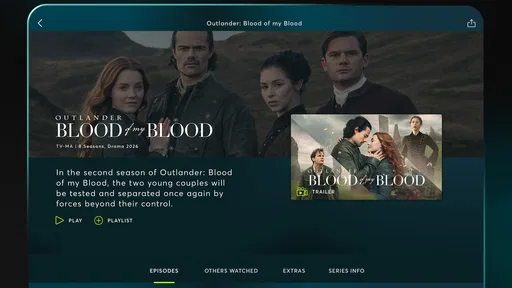
STARZ is a premium streaming service that provides a wide array of original series, popular movies, and exclusive documentaries. Subscribers can enjoy hit shows like "Outlander" and "American Gods," as well as a diverse selection of films across various genres. The content is updated regularly, ensuring a fresh viewing experience.
How can I access STARZ on my devices?
STARZ is available on a multitude of platforms, including Android, iOS, and major streaming devices like Roku, Apple TV, and Amazon Fire TV. You can download the STARZ app from the Google Play Store or the Apple App Store, sign in with your subscription, and start streaming instantly.
Does STARZ offer a free trial, and how does it work?
Yes, STARZ typically offers a free trial period for new subscribers, allowing users to explore the service without any initial cost. The duration of the trial may vary, so check their website for specific details. Remember to cancel before the trial ends if you decide not to continue, to avoid charges.
What are the subscription costs and payment options for STARZ?
The subscription cost for STARZ is competitive, often around $8.99 per month, with potential discounts available for annual plans. Payment options include major credit cards and PayPal. Prices and offers may vary based on your location and current promotions, so it's best to check their website for the latest information.
Can I download content for offline viewing on STARZ?
Yes, STARZ allows users to download select content to watch offline. This feature is particularly useful for those who travel frequently or have limited internet access. Simply find the download option next to the content you wish to save, and enjoy your favorite shows and movies anytime, anywhere.
